PDF Dark Mode Converter | Invert PDF Colors for Night Reading
PDF Dark Mode Converter | Invert PDF Colors for Night Reading
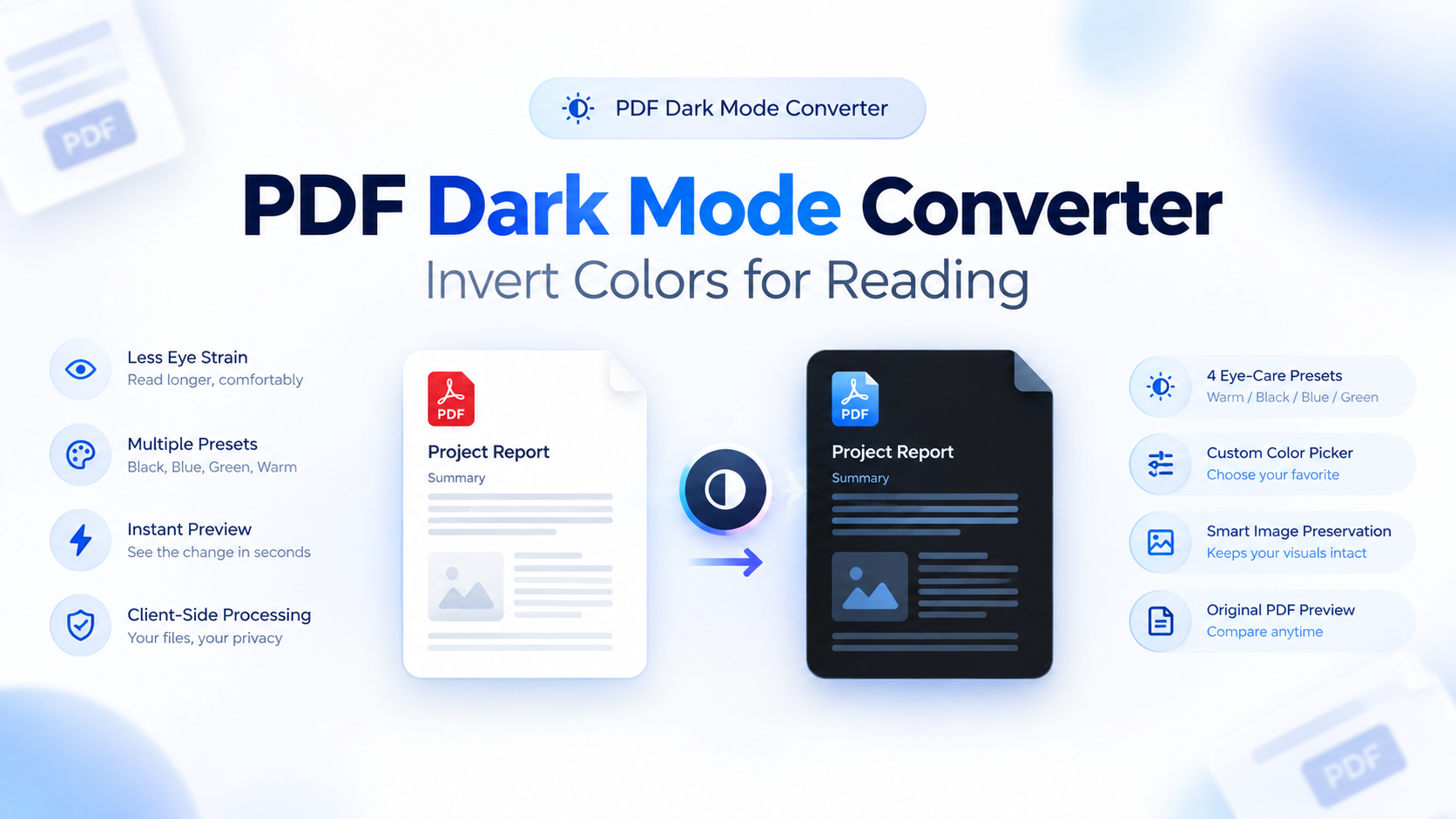
Reading a PDF at night can be uncomfortable when every page has a bright white background. Whether you're studying from a textbook, reviewing a research paper, or reading a long report, a darker PDF can make the experience more comfortable in low-light environments.
A PDF Dark Mode Converter solves this by changing the visual appearance of a PDF, turning bright backgrounds into darker tones and adjusting text for better contrast.
PDFFILZ takes this one step further by processing the PDF directly in your browser. With its on-device WebAssembly processing, you can convert a PDF without uploading the document to a remote processing server.
In this guide, we'll explain what PDF Dark Mode is, how PDF color inversion works, how to create a dark-mode PDF, and why on-device processing can be useful for private documents.
What Is PDF Dark Mode?
PDF Dark Mode is a way of changing a PDF's colors to create a darker reading experience.
Traditional PDF documents commonly use a white background with black text. While this works well in bright environments, the large amount of white content can feel harsh when you're reading in a dark room.
A dark-mode PDF uses a darker background and lighter text to create a lower-brightness appearance.
With PDFFILZ, you can use the PDF Dark Mode Converter to create a separate dark version of your document while keeping the original PDF unchanged.
This can be useful for:
- Textbooks and study material
- Research papers
- Digital notes
- Reports and documents
- Long-form reading
- PDFs viewed at night
- Documents used in low-light environments
How to Invert PDF Colors
Creating a dark-mode PDF with PDFFILZ is designed to be simple.
Step 1: Choose Your PDF
Open the PDF Dark Mode Converter and select the PDF you want to process.
Your file is loaded directly into your browser rather than being sent to a remote processing server.
Step 2: Preview the Dark Version
Once the PDF is loaded, you can preview the converted appearance.
The tool applies the selected dark-mode treatment to the document while aiming to preserve supported images, charts, diagrams, and other visual elements.
Step 3: Download Your Dark PDF
After checking the preview, download the newly generated PDF to your device.
Your original PDF remains unchanged, so you can keep both versions and use whichever one is appropriate for your reading environment.
Why Use a Dark Mode PDF for Night Reading?
Bright screens can be distracting in a dark environment, particularly when you're reading a document with large white pages.
A darker PDF changes the overall appearance of the document and reduces the amount of bright white content displayed on screen.
This can be especially useful for students who read textbooks or lecture notes at night, professionals reviewing documents after work, or anyone who prefers a darker interface.
A PDF night reading mode can also be more convenient than manually changing display settings every time you open a document.
PDFFILZ PDF Dark Mode: Processing Happens On Your Device
One of the main differences between PDFFILZ and many traditional online PDF converters is how the file is processed.
Many online PDF tools follow a simple cloud-based process:
Select PDF → Upload → Server Processing → Download
PDFFILZ's PDF Dark Mode tool uses a different approach.
The processing runs directly inside your browser using WebAssembly. This means the conversion can happen locally on your own device without requiring the PDF to be uploaded to a remote processing server.
For users who work with private documents, this provides an alternative to traditional upload-based PDF processing.
Documents such as contracts, academic work, reports, and personal files can therefore be processed locally when using supported on-device functionality.
Is a PDF Dark Mode Converter Safe for Private Documents?
Privacy is an important consideration when choosing an online PDF tool.
If a service requires you to upload a PDF, the document has to leave your device and be transmitted to its infrastructure for processing.
PDFFILZ's PDF Dark Mode tool is designed around local browser processing. The document is processed using WebAssembly within your browser instead of being sent to a remote PDF-processing server.
This makes the tool useful for people who specifically prefer PDF tools without upload.
However, your overall security still depends on your own device, browser, operating system, and normal security practices.
Does Dark Mode Change the Original PDF?
No.
The original PDF remains unchanged.
PDFFILZ creates a separate converted version of the document. This means you can keep your original file and use the dark-mode version specifically for reading.
For example:
Original PDF:
White background + dark text
Dark-mode PDF:
Dark background + lighter text
Both files can be kept separately on your device.
What Happens to Images, Charts, and Diagrams?
PDFs can contain much more than plain text. Research papers, textbooks, reports, and presentations often contain photographs, charts, diagrams, and colored graphics.
PDFFILZ is designed to preserve supported visual content while applying its dark-mode treatment to document text and backgrounds.
This helps keep important visual information recognizable after conversion.
The final appearance can still vary depending on how the original PDF was created and how its text, backgrounds, images, and page elements are structured.
Does the Dark PDF Work on Phones and Tablets?
Yes.
The converted document is generated as a standard PDF file, so it can be opened with compatible PDF reader applications on computers, phones, and tablets.
You don't need a special PDF reader just to open the converted file.
This makes it possible to create a dark-mode version on your computer and then transfer it to another device for reading.
PDF Dark Mode vs Dark Mode in a PDF Reader
There is an important difference between changing the appearance of a PDF inside a reader and actually creating a dark-mode PDF.
A PDF reader's dark-mode setting may only change how the document appears temporarily on your screen.
A PDF Dark Mode Converter creates a separate version of the PDF with its appearance modified.
This can be useful when you want to save the dark version, move it to another device, or keep it available for future reading.
Is There a File Size or Page Limit?
PDFFILZ's PDF Dark Mode tool uses on-device processing rather than depending on a traditional server-side upload system.
As a result, the practical limits depend primarily on your device, browser memory, and the complexity of the PDF rather than a typical server upload limit.
Very large or complex documents may naturally require more device memory and processing power.
For normal textbooks, reports, notes, and documents, the browser-based workflow is designed to handle typical PDF files.
Why Choose PDFFILZ for PDF Dark Mode?
PDFFILZ combines PDF color inversion with a privacy-focused, browser-based workflow.
Key benefits include:
- On-device PDF processing
- No remote file upload for supported processing
- No account required
- No advertisements
- Original PDF remains unchanged
- Preview before downloading
- Standard PDF output
- Works directly in your browser
- Designed for night and low-light reading
Frequently Asked Questions
What is PDF Dark Mode?
PDF Dark Mode changes the colors of a PDF to create a darker appearance, typically using a dark background and lighter text for a more comfortable viewing experience in low-light environments.
How do I invert PDF colors?
Upload your PDF to a PDF Dark Mode Converter such as PDFFILZ, preview the converted appearance, and download the resulting dark-mode PDF.
Does PDFFILZ upload my PDF?
PDFFILZ's PDF Dark Mode tool processes the document locally in your browser using WebAssembly, so the PDF does not need to be uploaded to a remote processing server.
Is PDF Dark Mode free?
Yes. PDFFILZ's PDF Dark Mode tool is available without requiring an account or paid subscription.
Do I need to create an account?
No. You can use the PDF Dark Mode Converter without creating an account.
Does PDF Dark Mode change my original file?
No. The original PDF remains unchanged. The tool creates a separate converted version.
Can I open the dark-mode PDF on my phone?
Yes. The converted file is a standard PDF and can be opened using compatible PDF reader applications on phones, tablets, and computers.
Does PDF Dark Mode affect images?
The tool is designed to preserve supported images and colored visual elements while applying the dark-mode treatment to relevant document content. Results can vary depending on the original PDF structure.
Is a dark-mode PDF useful for studying at night?
It can be useful for people who prefer darker pages when reading in low-light environments, including students reading textbooks, notes, and research papers at night.
Create a Dark-Mode PDF in Your Browser
If you're looking for a simple way to invert PDF colors, create a darker version of a document, or prepare a PDF for night reading, PDFFILZ provides a browser-based solution without requiring a traditional upload workflow.
Choose your PDF, preview the dark-mode version, and download the result.
Try PDFFILZ PDF Dark Mode and create a more comfortable version of your PDF for night reading.
Prêt à optimiser vos documents dès maintenant ?
Fusionnez, compressez, convertissez des fichiers Word et signez des formulaires directement dans votre navigateur.